Infinity Wrath Controls
Master every input that decides the snap fight.
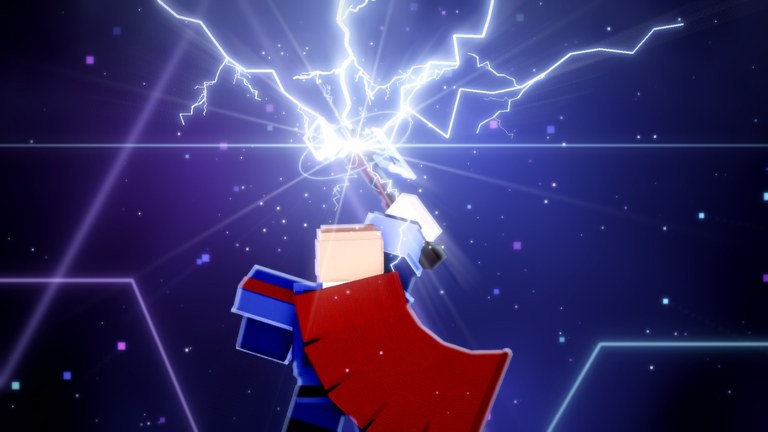
Clean controls separate Infinity Wrath players who “button mash until something dies” from players who actually stop — or land — the snap. This guide documents the default combat map, how to string inputs, and how those inputs change when you are HIM versus a hero.
Keep the controls cheat sheet open while you practice. After you can execute without looking at the keyboard, return to Beat HIM or Play as HIM for role strategy.
Default control map
| Input | Name | What it does |
|---|---|---|
| M1 (left click / tap) | Light attack | Fast chain pressure, chip, confirms |
| M2 (right click / heavy button) | Heavy attack | Slower, harder hit, punish tool |
| Q | Skill 1 | Character ability — often mobility or burst |
| E | Skill 2 | Second ability — interrupt, AoE, or utility |
| F | Block | Reduces or negates incoming hits while held/timed |
| Space | Jump | Vertical peek, juggle escape, rooftop access |
The Roblox experience description lists exactly this set. Patches may add contextual buttons (emote, menu, spin shop) but the combat six stay foundational.
M1 — your bread and butter
M1 is how heroes overwhelm HIM and how HIM farms space between skill cooldowns.
- Tap in short bursts; do not hold if the game treats hold as a different move.
- Stop the chain when the opponent raises F — hacking a block wastes frames.
- Use M1 to herd HIM toward teammates, not to solo ego duel across the map.
On open Planet Titan plates, M1 whiffs are free M2 punishes. On dense Wakanda-style streets, M1 shines in doorways.
M2 — the punish button
Heavies win rounds when you have discipline.
- Whiff punish: enemy misses Q/E → M2.
- Block punish: they drop F too early → M2.
- Snap punish: HIM starts an obvious channel in your face → M2 into Q interrupt.
Never lead every engage with M2. Telegraphs get blocked, then you eat a free counter.
Q and E — skills with jobs
Treat Q and E as jobs, not fireworks:
- Interrupt job — break HIM’s snap (hero priority).
- Escape job — leave a bad collapse (both roles).
- Setup job — create the knockback window HIM needs to snap.
- Confirm job — convert an M2 stun into real damage.
Which skill sits on Q vs E depends on your spun kit — see Abilities Tier List. Rebind muscle memory after every new spin so you do not press the wrong job mid-fight.
F — block wins games
Beginners ignore F. Veterans live on it.
- Hold F against obvious heavies and telegraphed ultimates.
- Release to move; infinite block often drains stamina or slows you depending on patch rules — check Latest Update.
- Block → M2 is the universal punish loop.
As HIM, blocking during the wrong second can cost the snap window. As a hero, blocking the wrong second can let HIM finish the channel. Timing > panic toggle.
Space — jump with purpose
Jump is not only parkour:
- Peek over low walls to relocate HIM.
- Break ground-locked AoE.
- Reach rooftops on city maps for callouts.
- Combine with mobility Q for extended disengages.
Spam jumping makes your landing frames readable. Jump, act, land, reset camera.
Role-specific control priorities
Heroes
- Camera on HIM
- F vs heavy telegraphs
- Save at least one of Q/E for interrupt
- M1 herd into teammate M2
HIM
- Create space with knockback skills
- Block only when necessary
- Snap when heroes are mid-animation or separated
- Jump resets when surrounded
Details: Play as HIM, HIM page.
Mobile and controller notes
Mobile UI places attack buttons on the right cluster. Practice in an empty moment of the lobby if the game allows, or in the first low-stakes skirmish. Controllers map M1/M2 to face/trigger buttons depending on your Roblox device settings — confirm in Roblox escape menu before a serious lobby.
Practice routine (15 minutes)
- Two minutes M1-only movement around the current map.
- Three minutes M1→M2 confirms on training targets or willing friends.
- Five minutes block reactions only — call “heavy” out loud when you press F.
- Five minutes Q/E job drills: interrupt on orange, escape on red, setup on green (use your own color code).
Pair this with Getting Started if you still need economy setup, and claim codes so your skills are worth practicing.
Related pages
- Guides Hub
- Tools Cheat Sheet
- Tier List
- Updates — input buffs/nerfs after reworks
Master the six inputs and Infinity Wrath stops feeling random. Everything else on this wiki assumes you can press them on time.
Frequently Asked Questions
Quick answers to the most common questions.
What are the basic Infinity Wrath controls?
M1 light attack, M2 heavy attack, Q and E skills, F block, and Space jump.
Should I spam M2?
No. Use heavies as punishes after whiffs, dropped blocks, or obvious snap channels.
When do I use Q and E?
Assign each skill a job — interrupt, escape, setup, or confirm — and save the interrupt for HIM’s snap.
Is there a quick reference?
Yes. Open the Controls Cheat Sheet under Tools for a compact input table.
Do controls change on mobile?
The same actions exist as on-screen buttons. Layout differs, but the combat logic is identical.